20 Best Home Security Apps for Android Devices
Problems often arise for parents and entrepreneurs when they do not monitor things themselves at home or in their place of business. Especially parents who are used to working outside and want to know what their children or pets are doing at home, but cannot manage to do so. For them, having a home security app on their Android device is a very flexible option. With some of the best home security apps for Android, you can easily monitor what’s going on in your home or place of business. Some well-built apps also include voice control and other system detection.
Best Home Security Apps for Android
If you are really looking for some of the best home security apps for your Android device, then you are at the right place. Because you must know that in the crowd of apps in Play Store, it has become difficult to find the best one, but here, you can get the 20 best home security apps for Android. So, let’s take a look at the list and follow the features of the apps to get the best app for you.
1. Home Security Camera Warden Cam
Protect your home as an always-on security observer with the help of your smartphone. Home Security Camera Warden Cam is one of the most useful home security apps for Android that acts as your own mini CCTV and can be accessed anytime from anywhere. It provides 24/7 video monitoring and an interactive alert system for your convenience.
Main Features
- It supports almost all mobile devices and you can use your old Android devices like video cameras.
- Able to work with all popular types of connections like Wi-Fi, LTE, 4G etc.
- It offers motion detection capabilities and state-of-the-art security for your home at a minimal cost.
- Provides cloud storage functionality that gives you the freedom to access the base from anywhere.
- Integrates with smart alarm systems and notifications to alert you of trespassing events.
2. On the home camera
Your home monitoring app will explore all the options to make your space more secure with AtHome Camera. It is integrated with very advanced and flexible functions and operations. This app is straightforward. It is equipped with very compact controls and intuitive system interface.
Main Features
- Let us convert your old or spare smartphones into cameras that work better than CCTV systems.
- Provides an active alarm system and AI-based monitoring to ensure proper notification and avoid false alarms.
- It offers night vision and multi-display functionality for better observation.
- Supports all types of devices and operating systems, connects to PCs, consoles, mobile phones, tabs, etc.
- Provides cloud access and connectivity with secure and private connections between devices in use.
3. Prominent eye, home security camera, and burglar alarm
If you can convert any mobile device or old smartphone into your home security camera, it will be a peace of mind. Salient Eye lets you have the most advanced security system for your space, and it’s all free to download from the Play Store. It is equipped with advanced functionality and easy access with its streamlined and compact app interface.
Main Features
- Allows you to monitor your location from anywhere and anytime.
- Offers a smart notification and alarm system if something happens or any kind of violation is observed.
- You can find out the usual time of your family members or roommates and what they do when you are not at home.
- Contains a motion sensor, and is available to use on your older smartphones. Set up to your liking with a personalized alert system.
- Works with any available internet connection and can be operated with a Wi-Fi network to share data between security systems.
4. Video Monitoring
Home surveillance apps are convenience for us. Video monitoring is one of the good ones with its compact size and versatile compatibility. It turns your smartphones, cameras, and IP cameras into a single and accessible system ready for monitoring anytime. It provides tons of professional-grade functions to make your space more secure than ever.
Main Features
- TrackView supports all popular network systems and connectivity works with 3G, 4G, Wi-Fi and others.
- Easy to install and provides GPS location services and two-way audio capabilities.
- Includes motion and sound detection as well as night vision for better surveillance.
- Integrated with cloud storage for superior backup and supports power saving mode for longer online support.
- Provides real-time details and secure connectivity, which can only be accessed by the user from anywhere.
5. Tiny Cam Monitor Free
tinycam-monitor Meet tinyCam, a great option for you to securely monitor your private and public space. This app is said to be one of the best home security apps for remote surveillance on any Android device. Controlling the video recording system is fantastic so that u You can monitor your location with an IP camera. It already has a handful of useful features, but if you want more, there’s an option for the premium service.
Main Features
- It supports Foscam and Amcrest cameras.
- Contains audio systems with two different modes.
- You can enjoy 17 different layouts and countless camera services.
- There is a configuration model that will help you switch your camera automatically.
- You can share group cameras by tagging others.
6. Mobile Security Camera (FTP)
Mobile-Security-Camera If you want to turn your smartphone into a simple cloud-based security camera, you can try Mobile Security Camera FTP. Compare it to other security apps, this app is straightforward to set up, use and update. You can use this app from any device as it is available on both Play Store and App Store. To know more about it, you can have a glimpse of its features list below.
Main Features
- Very easy to use, and only a few taps are enough to set it up.
- It is an FTP service suitable for all types of network security systems and security cameras.
- Video recorded by the camera connected to this app will automatically be saved here.
- Great to use for monitoring home businesses and other casual spaces.
- You can use your webcam or any smartphone as a security camera using this app.
7. Presence
Presence Let me introduce you to Presence, a great solution for your home security service. By simply connecting your smartphone to an old device, you can monitor your home and other private spaces using this app. People’s Power Company has brought this app to remind parents who want to monitor their children’s steps and entrepreneurs who want to monitor their men in the workshop.
Main Features
- It is supported in both iPhone, iPad and Android.
- You can also enjoy the service of voice commands using this app.
- It has more than 5GB of storage for video recording, and the recorded video will be saved automatically.
- Provides a very high resolution video so you can see every corner of your home and beyond.
- Contains a simple motion detection video alert service.
8. Nest
If you want to enjoy the service of a leading security alarm system, say hello to Nest Google Nest. To monitor every corner of your home, business place, and other cozy places, you can use this cam security option. It is easy to use, set up and download. Also, Nest may use your phone’s sensors, algorithms and other features to give you accurate information.
Main Features
- It has a reminder option to ensure your plan.
- You can use it as a remote to change the temperature of your air conditioner from a remote location.
- It will provide every bit of information about your home, even if a door or window is open or someone enters a room.
- It will provide information about Wi-Fi connection, batteries and other sensors.
- Provides high resolution and 1080p HD video quality.
9. SimpliSafe Home Security App
SimpliSafe-Home-Security-App You can also try the SimpliSafe Home Security app on your Android device. This is another fantastic security app that will let you control your home and other private spaces. SimpliSafe is a strong security system, and people often think that SimpliSafe is better than ADT. To check every step of your children or pets in your home, you can use it, and I assure you that you will benefit.
Main Features
- It is easy to set up and use.
- This includes stuck door and window sensors.
- You should be notified if someone enters your room.
- Arming and disarming the system is very easy even from a remote location.
10. IP Webcam
IP-Webcam If you need a system to turn your phone into a network camera, you can use an IP webcam. This is an excellent camera security service that will help you monitor your locations with multiple viewing options. It will work best in Android platform with VLC player or any web browser. Also, it is supported by cloud broadcasting for instant global access.
Main Features
- You can record videos in different platforms like WebM, MKV, MOV etc.
- You can enjoy video chatting service using this app.
- It includes useful services like motion detection, voice activation, Tasker integration, etc.
- Includes a very extensive and rigorous baby and pet monitoring service.
- A day and night mode version is also available.
11. Color – Always Home
If you want to see and talk to your house guests, RingInstall now. When you are out and there is no one reliable at home to take care of your little ones and pets, you can rely on this helpful home security app for your Android device. It is safe and very functional urity
Main Features
- Ultra HD video quality, and so on, you can show everything clearly.
- A few taps are fine to see inside a ring camera.
- You can talk to visitors from remote area using this app.
- The simple UI will let you use this app quickly and easily.
- When someone knocks on your door, it will knock on you.
12. AtHome Video Streamer
AtHome Video Streamer is another safe home security app waiting for your introduction. This is the AtHome video streamer. The best part of this app is its human sensory capability. From the small display of your handset, you can keep track of visitors to your home. Plus, you can see what’s happening in your room when you’re out. In this way, you can enjoy a long journey without worrying about your home.
Main Features
- Let everyone see you behind the camera with high-quality video connectivity.
- Night mode is available to clearly see who is there at night.
- You can watch live streaming with 3G and 4V Wi-Fi connection.
- Advanced two-way conversation will let you talk to your home visitors.
- The multi-view display will let you see all sides of the camera.
- A highly secure and advanced cloud system is also available.
13. Smart Home Surveillance Picket
Smart Home Surveillance Let’s turn your smartphone into a security camera to know what’s going on in your home. This app is very easy to use, and you can easily set up the camera device with your smartphone. So, you don’t have to worry about how the nanny is taking care of your kids and how your pets are doing. Just turn on your phone, set it up with a security camera device with an internet connection, and enjoy monitoring your home remotely.
Main Features
- You can use it from anywhere if you have Wi-Fi connection or 3G internet connection.
- It includes a motion detection operator and will alert you if you find any directory clues.
- The default motion detection technology is also only available for daytime.
- Let you talk to visitors from inside the door or even outside your home.
- Includes Ultra HD quality video and audio system.
14. Eyes pie
With EyesPieNow, you can enjoy better family protection with an on-demand home security app for your Android device. This is EyesPie, a very secure and multifunctional home security app that will help you monitor your home and front door. This way, you can know about who enters your home and how your children and pets are doing. When you’re in your office or on the go, Eyes Pie will never let you down by not showing you the status of your home.
Main Features
- Totally secure and full privacy protection service.
- HD quality video and audio system.
- A speaker is available to communicate with outsiders.
- Wi-Fi is supported with an advanced hotspot shield.
- The ability to direct movement is also included.
- Two-way audio and video conversion system lets you have clear conversations.
15. Kona Home Security
Kona Home Security Let’s control the security cameras in your home with a very compact size home security app. This is Kuna Home Security, a very popular home security app for your Android device. I recommend it because of its minimal features and functions. It will help you control the security cameras in the corner of your house and in front of the main entrance. Showing you what’s up there with high resolution video quality?
Main Features
- It will record and send you every actionable alert that happens in your home.
- Two-way intercom and pre-recorded message options are available here.
- HD quality live streaming is possible with Wi-Fi networks or a 3G or 4G internet connection.
- Option to make an immediate call to the nearest police station.
- Light on and off option is available.
- Voice commands and instructions are also there for you.
16. Monitoring and Supervision
Surveillance & Monitoring – Trackview Surveillance & Monitoring is my next suggestion to enjoy various functions in just one app. The main function is related to surveillance and camera operating system to recognize about the situation of your home and store. Also, you can use this app to track the location of your family members and employees. This app has a very helpful GPS tracker working for you.
Main Features
- You can locate your family members through an advanced GPS tracking system.
- Automatically stop apps running in the background.
- Sleep and Night modes are available.
- Exclusive IP camera for advanced home security systems.
- A two-way audio system will let you communicate with outsiders.
- Incredible cloud storage for backup recordings.
17. Security cameras CZ
Security Camera CZ Everything you need for an additional security system is compressed into just one app. This is a security camera, CZ. This app is specially designed for parental safety and monitoring. So, those sincere parents who put their children in the hands of a babysit are tension-free
Being in their working zone gives me peace. They can see their kids and the situation outside the house just by using their smartphone connected to the camera using this app.
Main Features
- Two ways with HD video and audio chat will let you connect and see outsiders.
- You can create a schedule to activate the Motion Directory approach.
- It works with Wi-Fi connection or any other internet connection.
- Siren option for motion detection sensors.
18. Netview – Home Security Done Smart
Another smart app to protect your home is NetvueMeet. This is Netvue, a multipurpose home security app for your Android device. Once you start using this app, it becomes easy to set up your phone with other devices like security cameras, Wi-Fi networks and other electronics. Moreover, the whole process is easy to take care of, and nothing too complicated is involved. So, when you want to check the status of your home, just tap the button on your phone and log into the security camera system. Seeing your children doing well with your own eyes will give you peace of mind.
Main Features
- High quality video and audio system.
- Works with a Wi-Fi connection or other Internet networking system.
- World class service for various security related activities.
- The intercom system is available in two variants.
- A touch-based home screen widget and night mode are also available.
19. Canary – Smart Home Security
Canary Here is another useful and helpful app for additional security system of your home and workplace. This is Canary, an innovative Android app that lets you see with your own eyes what’s going on in your home. Just buy a good quality security camera and connect the network to your phone using the app. This is how it is done. It doesn’t matter when and where you want to see your children and pets in your home. You can do it in seconds.
Main Features
- Motion detection sensitivity is available.
- It requires Wi-Fi network or other internet connection.
- It will alert you when directing something unnatural.
- Customize and schedule a motion detection sensor is also available.
- There is also an emergency calling option.
- Canary’s HomeHealth Technical is another special feature of this app.
20. YI Home
YI Home is the ultimate YI Home, a way to connect with your family with a real-time video chat. You can set up your home security camera with your phone using this smart app. After that, you can enjoy peaceful working hours without worrying about what is going on there with your kids. This app is very easy to use, and all functions are almost customizable. So, stop worrying and enjoy YI Home to stay extremely safe when it comes to your family.
Main Features
- YI cameras can support more than 32 GB SD cards and keep all scene records.
- Two-way intercom and pre-recorded message options are available.
- Emergency calling options and night modes are also there for you.
- HD video with high resolution quality.
- Clear the speaker to communicate with guests.
- Motion direction technology is also included.
Final decision
If you still don’t choose, I can make a narrow way for you to get it before I say goodbye. Well, you can try Home Security Camera Warden Cam for general use. SimpliSafe would also be a good option. For good sound control, use presence. For this reason, Nest is also the right choice. Hope you don’t have any more trouble. ,
Please let us know your choice. And share your opinion about it too. Also, you can share your opinion and suggestions. Thanks for your time. ,
Best Home Security System Apps for Android in 2021
Are you spending millions of dollars on your home security? But, why when you can do it for free? Wondering how? Yes! Here at Tech Pout, we’ve come up with a list of the 11 best home security apps for Android devices. Read on to know each one in detail!
Buying a home is considered a lifetime investment and thus it is very important to protect it. Protecting your home is just as important as protecting your children.
Thankfully with technological advancements, many smart home devices and home security apps are available in the market. These apps provide a perfect solution for working parents who are always on the move. They are concerned about their homes but cannot do anything to manage them in their absence.
Using a simple home security system offers a highly desirable solution to all such problems. Here, in this blog, we have compiled a well-researched list of some of the most robust and best security camera apps for you and your home.
Each app is properly evaluated on various parameters, including usability, features, response time, cost, installation complexity, working mechanism, and more.
Read on to find out what are the best home security system apps for Android in 2021.
Best Home Security Apps for Android Devices
If you are in dire need of a proper home security app for Android, then our blog will definitely be of help to you. Now, let’s take a look at some cheap yet effective apps that you can consider to ensure your home’s security.
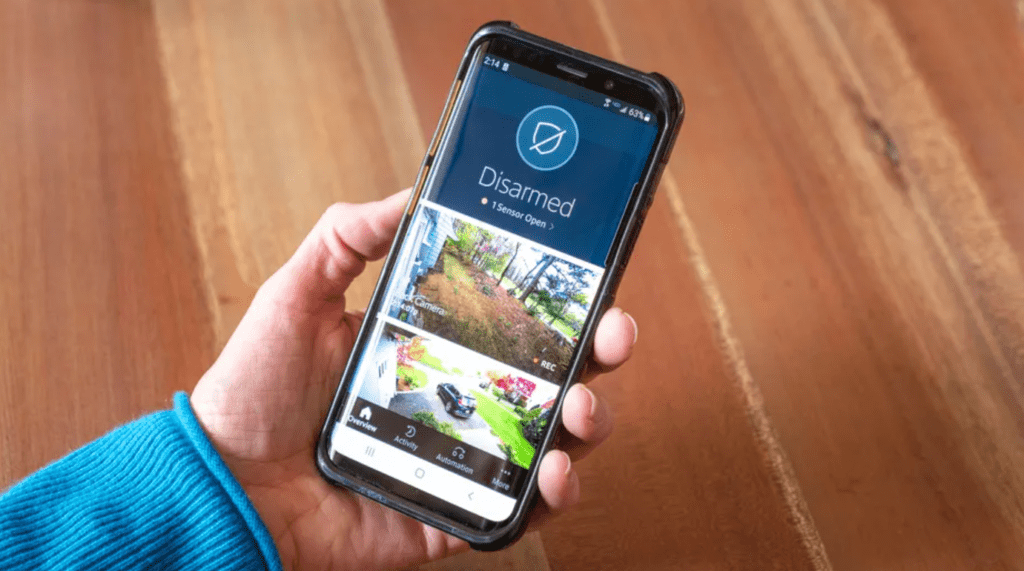
1. Home Security Camera Warden Cam
If you are looking for an affordable home security app for Android that offers the best combination of features and usability, “Home Security Camera Warden Cam” can be a good choice. This powerpack tool is very popular among the masses.
It comes with this small CCTV camera, which you can access anytime from anywhere. The app works incredibly well on almost all versions of Android devices and provides round-the-clock video monitoring of your home.
Equipped with an effective alert system and motion detection capabilities, it can easily sync with all types of connections including 4G, Wi-Fi, LTE, etc.
With its smart alarming system, you get immediate notification of all trespassing incidents and unauthorized entries. Last but not least, you also get cloud storage functionality, which means easy access from any location.
2. Monitoring and Monitoring – Track View
This home security application provides a lot of convenience and ease in our busy routines. It’s a compact and easy-to-use app that integrates your IP cameras and smartphones with a 3G/4G or WiFi network for continuous monitoring.
Motion detection, GPS location services, night vision, two-way audio capability, and voice detection are some of its prominent offerings.
Enjoy real-time monitoring of your home with this top-rated home security app for Android that you can download from the Google Play Store.
3. Presence video security camera
Presence allows you to be virtually present in your home even when you are away at work. It offers a smart way to protect your home and can be easily connected to your smartphone.
Developed by the People’s Power Company, this incredible home security system uses your cell phones to monitor your home, workplace, and children’s activities.
You can use voice commands to guide the system. It also comes with a motion detection feature that can send video alerts and works efficiently on Android and iOS devices. It can store up to 5GB of video recordings.
It is definitely one of the top home security apps with which you can enjoy high-quality video surveillance from anywhere.
4. On the home camera
Whether you’re at home or not, you can always rely on Athome app to ensure your home’s security.
It comes with smooth operation and a compact control, which can turn your Android device into a 24/7 live CCTV camera. Its advanced AI-based monitoring detects all unauthorized movements and sends notification alarms.
You can connect the AtHome camera to your mobile phones, PCs, tabs, consoles and many other devices. It also includes night mode and multi-functional display features for better night vision.
Download this remote monitor today to keep your home safe and secure from all unwanted activities.
Best Home Security System Apps (2022)
The best home security apps are user-friendly and have key functions like smart home integration, two-way talk, video storage, and more.
Great home security systems give you peace of mind when you’re away from home, giving you the confidence that your home is safe from intruders. The best home security systems have mobile apps with exceptional features like two-way talk, smart home integration, and customizable alerts. Whether the alarms are proprietary or universal, there are many options.
To help you determine the best home security app for your security system, this Old House review team researched the best home security apps. Read on to learn about our top four picks.
Top 4 Home Security System Apps
- ADT Control App
- SimpliSafe Home Security App
- Vivint Smart Home App
- Frontpoint Mobile App
Each of these multi-purpose apps allows users to sign in, disarm and monitor their security system from anywhere anytime with their smartphone and arm. However, each has its own unique advantages and disadvantages.
ADT Control App
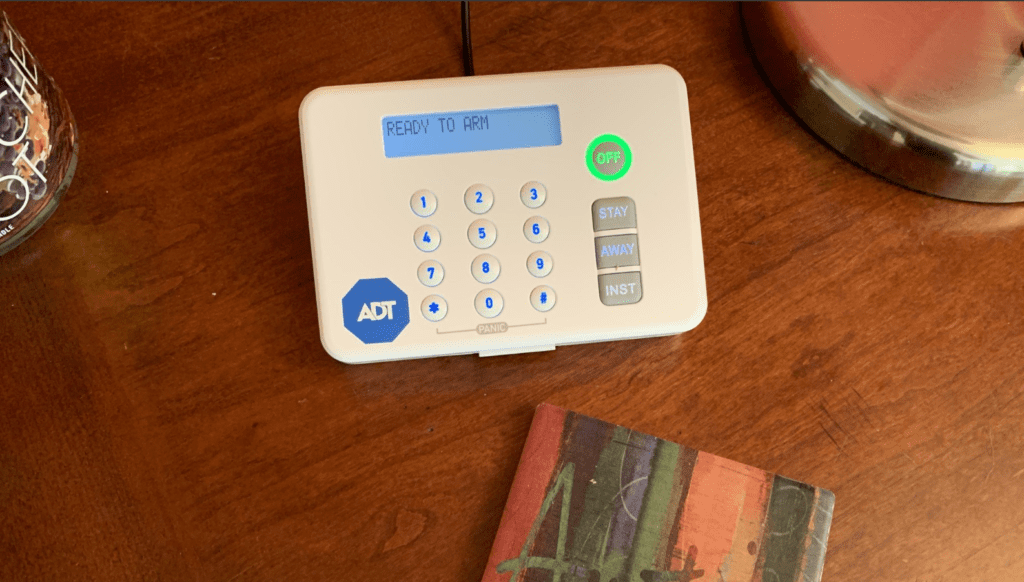
The ADT Control app has a wide range of home automation controls. It allows you to arm and disarm your system, view your indoor and outdoor camera footage, and even turn off small appliances like coffee pots. If you buy the more comprehensive package, the app works with Amazon Alexa, a rare feature among home security apps.
Features
- Geo-fencing for climate and security
- Live video monitoring
- Voice control is available with some packages.
- Custom automation schedules
- Apple Watch integration
- Text and email notifications when a door or window is opened or closed or when the system is armed or disarmed
Pros
✔ Two-way communication with advanced packages
✔ Turn devices on and off remotely.
✔ Apple Watch integration
SimpliSafe Home Security App
SimpliSafe’s intuitive app allows users to share video from their SimpliCam and video doorbell to social media, which is useful for those who like to record their children or pets. The app also comes with alerts for environmental issues like carbon monoxide, fires and floods.
Features
- View the activity log to see who has been in your home
- Share videos on social media.
- Monitor environmental sensors.
- Set up alerts when someone uses your alarm system code.
- Set security sensors to covert alert mode.
- Monitor your home with an easy-to-use interface.
Pros
✔ Social media sharing
✔ Intuitive interface
✔ Environmental sensor
Cons
✘ Upgrade required.
✘ Some user reviews note in-app bugs.
Vivint Smart Home App
Vivint’s app stands out because unlike many other home security providers, Vivint has all of its smart home controls available through one central app. You don’t even need to buy a premium package for this perk — it’s included in all Vivint packages. The built-in Sky Assistant uses AI to learn your habits, making it easy to customize your smart home controls through the app. It also conserves energy by automatically changing the climate control based on how long you’re away from home.
Features
- A central location to control your home security and smart devices
- Custom notifications and alerts
- The video playback upgrade provides 30 days of video storage.
- The Family Plan lets you create and manage up to six personalized accounts.
- Smart Clips to save up to 20 seconds of video for later review
- Instant sensor-triggered mobile alerts
Pros
✔ Available through all Vivint packages.
✔ AI assistant to study routines
✔ Simple smart home integration
Cons
✘ Video storage needs upgrade.
✘ Must have a Vivint home security system.
Classification:
- Perfect for smart homes
- 4.7/5
- Vivint
- See Packages
- 855-740-4217
- Free Installation + $50 Visa. Code: HOMEGC50
Frontpoint Mobile App
Frontpoint started with Alarm.com’s universal home security app technology, before customizing it to cater to Frontpoint customers. DIY installation is automated via the mobile app, and features an intuitive navigation menu. In the previous version of the app, users had to contact customer service whenever they needed to make changes to their app, but now this can be done directly.
Features
- Two-factor authentication for an extra layer of security
- Smart home control
- Real-time push notifications
- Automatic DIY installation
- Live footage from your doorbell, indoor and outdoor security cameras
- Allows up to six users.
- Good and evil
Pros
✔ Live streaming
✔ Simple DIY installation
✔ Two-way authentication
Cons
✘ A comprehensive monitoring plan is required.
✘ Some reviewers noticed delayed motion detection alerts
Best Home Security Apps for Android in 2021
Let’s face it, CCTV security cameras are one of the most advanced things humans have ever invented. These cameras can protect your home, business, etc. from serious threats like robbery and theft.
Almost every business now uses CCTV cameras, and this is one of the essential things that everyone should consider. However, CCTV security cameras can be expensive, and not everyone can afford security cameras. So, if you don’t have the budget to install CCTV cameras at home or business, you can use your Android device.
List of 10 Best Home Security Apps for Android in 2021
If you have an old Android device, you can turn it into a security camera. To turn your Android into a security camera, you need to use a few security camera apps listed below. So let’s look at the best home security apps.
1. AtHome Camera
AtHome Camera is indeed a great Android security app that every Android user will love. The great thing about AtHome Camera is that it is available on almost all major platforms like Android, iOS, Mac, Windows, Linux etc. Android apps require two devices to work – one for recording and one for watching the live stream. . Not only that, but with the AtHome Camera Desktop Client, you can view up to 4 cameras at once.
2. Presence
Presence is an Android app that claims to turn your old smartphone into a security camera. With Presence, you can set up your old Android device to act as a security camera system for your home in less than 5 minutes. The app supports both live audio/video recording and on-demand video recording.
3. IP Webcam
IP Webcam is a little different than all the other apps listed in the article. The app basically turns your Android device into a network camera and gives you multiple viewing options. You can view the camera feed on any platform through a web browser or VLC media player.
1) The nest
There’s a Nest app for almost every piece of hardware offered. Through the app, you can access Nest’s Thermostat settings as well as Protect and Guard features. This app makes a lot of sense if you’re invested in the Nest ecosystem, whether it’s a thermostat or home security.
It can also alert you to any movement in your designated areas. It’s a comprehensive app for any Nest hardware available on the market. Given the versatility of Nest cameras, they can be placed virtually anywhere around your property. As for monitoring, the tablet app can give you a larger view thanks to the larger display real estate. You can set up as many cameras as you want with this app, the process takes just a few minutes.
2) Warden Cam
Warden Cam is a great choice for an old smartphone that you may have lying around. This app turns your spare smartphone or tablet into a home security system that you can monitor while you’re out and about. You’ll be able to keep track of daily activities — like package arrivals, monitor your baby, see what the kids are up to, or monitor if your dog destroys your house while you’re away. doing!
It comes with free cloud storage, motion detection, and alerts, and it works over Wi-Fi, 3G, 4G, and LTE.
Following our best security camera app for Android, we have Security Camera CZ. Like WardenCam, you can turn any old smartphone or tablet into a home security camera. Easily monitor events in your home without investing a few hundred dollars in a real home security system. With motion detection and alerts, the Security Camera CZ will work just like the Nest Cam and other surveillance cameras.
It comes with two-way talkback features (think a walkie-talkie). There is also a siren option, which you can turn on if you ever see an intruder in your home or on your property. Or, you can just use it to monitor the dogs, or when the kids are in another room!
4) On the home camera
Like Alfred, this app allows you to repurpose your old smartphone or tablet into a home security camera. With advanced face detection features, the app can send you a notification (with animated GIFs) when it recognizes someone from a video. It uses advanced deep learning and artificial intelligence technologies, allowing the app to accurately detect the person in the video. You can stream video from the camera to your primary smartphone using cellular data or Wi-Fi.
The app cleverly uses the microphones on both devices, offering hassle-free two-way communication. One security feature I really like is the app’s ability to run in background mode and auto-launch on startup. The app also comes with cloud support, so you can store as many recordings as you want on the cloud. It is a free download on the Google Play Store with ads and in-app purchases.
5) Home security camera
This is another similar app that we talked about above, which lets you use your old smartphone/tablet as a full-time surveillance camera. It also comes with two-way audio to communicate with the host device. There is a motion detection feature that will trigger an alarm on the camera when an intruder walks past the camera, while on-board technology ensures a lack of false alarms (pets).