All about Motion Sensors
A motion sensor (or motion detector) is the linchpin of your security system because it detects when someone is in your home when they shouldn’t be. A motion sensor uses one or more technologies to detect movement in an area.
When a sensor detects motion, it sends a signal to your security system’s control panel, which connects to your monitoring center. It alerts you and the monitoring center to potential danger in your home.
Answers to your questions about motion sensors

- Role of motion sensor
- Types of Motion Sensors
- Special motion sensor
- Where to place the motion sensor?
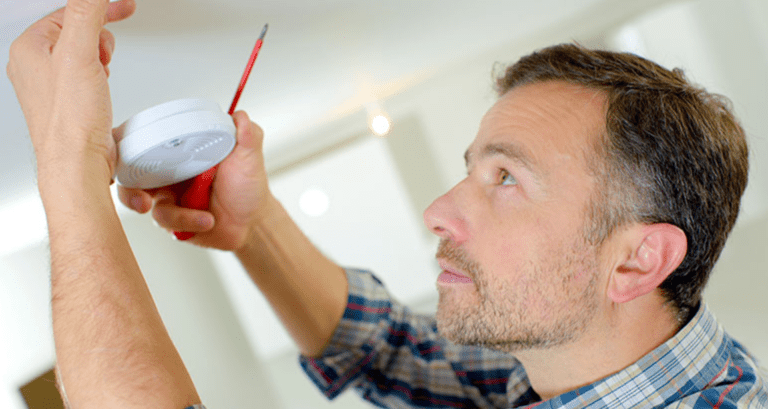
- How to Install Motion Sensors
- Additional installation tips
- Other uses
Pro Install vs. DIY
If you want to make sure your motion sensors are in all the right places, won’t fall off the wall, and can handle your active pet, go with a professionally installed system like Vivint. is your best bet.
The role of motion sensors in home security
The main purpose of motion detection is to detect an intruder and send an alert to your control panel, which in turn alerts your monitoring center.
The sensors work when you are not home or when you tell the system that you are not there. You can even program some security systems to record events through a security camera when motion occurs.
Motion sensors stand guard, ready to react to various situations, such as movement in your room, the opening or closing of windows or doors, or the breaking of a window.
Some common uses of motion sensors are:
- Notify you if your teen breaks curfew.
- Trigger the doorbell when someone approaches the front door.
- When children enter restricted areas of the home, such as the basement, exercise room, or medicine cabinet
- Save energy by using motion sensor lighting in spaces.
- Notify you if pets enter areas they shouldn’t.
Types of Motion Sensors

Passive Infrared (PIR)
A passive infrared sensor detects body heat (infrared energy) by observing changes in temperature. It is the most commonly used motion sensor in home security systems. When you arm your system, it activates motion sensors to report potential threats.
Once the PIR motion sensor is heated, it can detect heat and movement in the surrounding areas, creating a security “grid”. If a moving object blocks too much of the grid zone and the infrared energy level changes rapidly, the infrared sensor triggers an alarm.
Microwave (MW)
This type of sensor sends out microwave pulses and measures the reflection of moving objects.
Dual technology motion sensor
Some motion sensors can combine multiple detection methods in an effort to reduce false alarms. For example, it is not uncommon for dual technology sensors to combine a passive infrared (PIR) sensor with a microwave sensor.
Each sensor type operates in a different region of the spectrum (from passive to active). Dual technology motion sensors are not as likely as other types to cause false alarms, as both sensors need to be tripped to sound the alarm. However, this does not mean that they never cause false alarms.
Less common types of motion detectors
- Area reflective sensors emit infrared rays from LEDs and use the reflection of these rays to measure the distance to a person or object, thereby detecting when the subject moves within a defined area. .
- Ultrasonic motion sensors measure reflections of moving objects using pulses of ultrasonic waves.
- Vibration motion sensors detect small vibrations that people create when they move through a room. While you can buy them, they are also easy to make at home. A home-made vibration sensor uses a small mass on a lever, which activates an alarm switch when shaken. Home motion sensors can work, but they can also be unreliable.
Special motion sensor

Contact Sensor (Door/Window)
Use the magnet to move the door or window. When the sensor and associated magnet are separated when a door or window is opened, the sensor triggers an alarm while the security system is armed.
Pet immune motion sensor
Adjustable sensitivity
Some pet-proof motion sensors have adjustable sensitivity levels for homes with energy-intensive pets.
Video motion sensor
Many security cameras use advanced signal processing2 to start recording when they detect motion. Cameras controlled by motion sensors can save memory storage by not recording hundreds of hours of useless footage—they only capture the important stuff.
Best practices for mounting sensors
Wireless motion sensor
Today, most motion sensors are wireless. Wireless sensors are very easy to set up. They do not require drilling, and they communicate wirelessly with other components of the security system.
With wireless motion sensors becoming the standard, it’s easier than ever for DIYers when it comes to installation. If you know how to use a screwdriver, you can install a motion sensor. Correct installation gives you the best coverage for motion detection and helps avoid false alarms.
If you choose a security system that requires professional installation, the installer will know how to set up your sensors. However, if you go with a DIY home security system you are responsible for setting up your own sensors.
Before installing motion sensors, be sure to read the installation instructions, as they will likely include placement recommendations. Some DIY systems also give you electronic prompts, video tutorials, or call a representative to walk you through the setup process.
Keep in mind that motion sensors are not foolproof, and there are instances where false alarms can occur. False alarms are usually caused by power failure, user error, poor application engineering, power surges, lightning, and faulty equipment.
Placement Tips
Although the best thing you can do to maximize the effectiveness of your sensors and prevent false alarms is to read the instructions that come with them, to help you take advantage of the sensors’ strengths, it’s important to know how to place them. Here are some tips:
1. Place PIR sensors 10-15 feet away from heat sources such as radiators, heating vents, and sunny windows. 3 Motion sensors can trip when they detect a sudden change in temperature, even a cloud that moves quickly into your room in direct sunlight. .
2. Place motion sensors at “choke points” — places where people have to pass, such as stairwells or main hallways. Thus, an intruder trips the sensor regardless of the destination.
No way.
Intruders usually head straight for the master bedroom, so place a sensor near that room or other rooms, such as the study.
3. Predict where intruders are most likely to enter and which route they will take. Most burglars enter a home through the front or back door, patio door, or garage door, so it is advisable to place sensors near these areas.
4. Look for walls that the intruder can walk along, such as a hallway or narrow passageway that leads to a room. Motion sensors work best when the intruder moves parallel to the sensor, not toward it.
Best Locations for Motion Sensors
For example, in a hallway you walk parallel to the walls, not directly toward them.
How to Install a Motion Sensor
With wireless motion sensors becoming the standard, it’s easier than ever for DIYers when it comes to installation. If you know how to use a screwdriver, you can install a motion sensor. Correct installation gives you the best coverage for motion detection and helps avoid false alarms.
1. Unbox your motion detector.
Your motion sensor kit should come with some instructions and mounting hardware. If your device has separate batteries, now is the time to insert them into your motion sensor.
2. Decide on a location.
Before installing your motion detector you should consider the most effective sensor placement:
- Corners are an ideal location, as you can place infrared sensors to cover as much area as possible. Most motion sensor designs have screw holes with angled edges so they fit snugly in the corner of a room.
- Mount your motion detector high on the wall to get the best coverage—but avoid mounting it on a large piece of furniture, like a bookshelf or entertainment center, as this will limit the range of passive infrared energy.
- Place your motion sensor in front of the main entrance — this applies to every room or hallway where you place these sensors so they can detect intruders immediately.
3. Mount the sensor.
Passive infrared sensors are lightweight, so you won’t have to worry about drywall anchors or studs. A standard screwdriver should do the trick, but an electric screwdriver or drill can speed up the process.
Most motion detectors have a mounting bracket that pops off the main body of the device so you can screw it into the wall first, then clip the motion sensor to the back. This also makes it easier to remove the motion detector from the wall during maintenance. Installation of other infrared sensors may require complete disassembly.
4. Connect your sensor to your system.
Follow the manufacturer’s instructions for connecting your motion sensor to your system. Most DIY systems walk you through the process, often using a main keypad or mobile app to set up and adjust your motion detector.
If you have smart motion detectors, like the Z-Wave-enabled Aeotec TriSensor (about $45), you can connect it to lights and other smart devices through a smart hub like SmartThings so the light turns on whenever there’s motion. You can also use the Smart Hub app to schedule motion alerts on your mobile devices when motion occurs at specific times of the day or night.
5. Adjust your motion detection settings.
Most motion detectors have three main settings when you arm your system:
- In immediate mode, all movements trigger an alarm.
- In entry delay mode, the sensor operates on a delay — even if it detects motion, you have about 30-60 seconds to disarm the system before the alarm goes off.
- Entry Follow-up mode works on entry delays, but only when the door contact is first activated—although it sounds an immediate alarm if it detects activation in a home without a door contact being activated.
6. Maintain your motion detector
Over time, dust and debris can collect on your motion sensor’s screen and interfere with infrared energy, making it less effective at detecting motion. Clean it at least once every two months with a dry or slightly damp microfiber cloth.
If you decide to paint a wall near your motion sensor, be sure to remove the device first. If you find any paint on the passive infrared motion sensor, you need to replace it.
Additional Tips for Installing Motion Sensors
The size of your pet
Pet-immune motion sensors are only pet-immune when you use them correctly, and even then they can create false alarms in certain situations.
Many pet immune sensors use ratings based on the animal’s weight, but even small pets can trigger them with enough verticality. If your pet likes to practice its high jump, it may set off a false alarm.
This is especially important if you have active sensors near the stairs. At the bottom of the stairs, the sensor treats your pet like a mouse, but by the time your pet reaches the top, the sensor can see an elephant.
Overhangs reduce range.
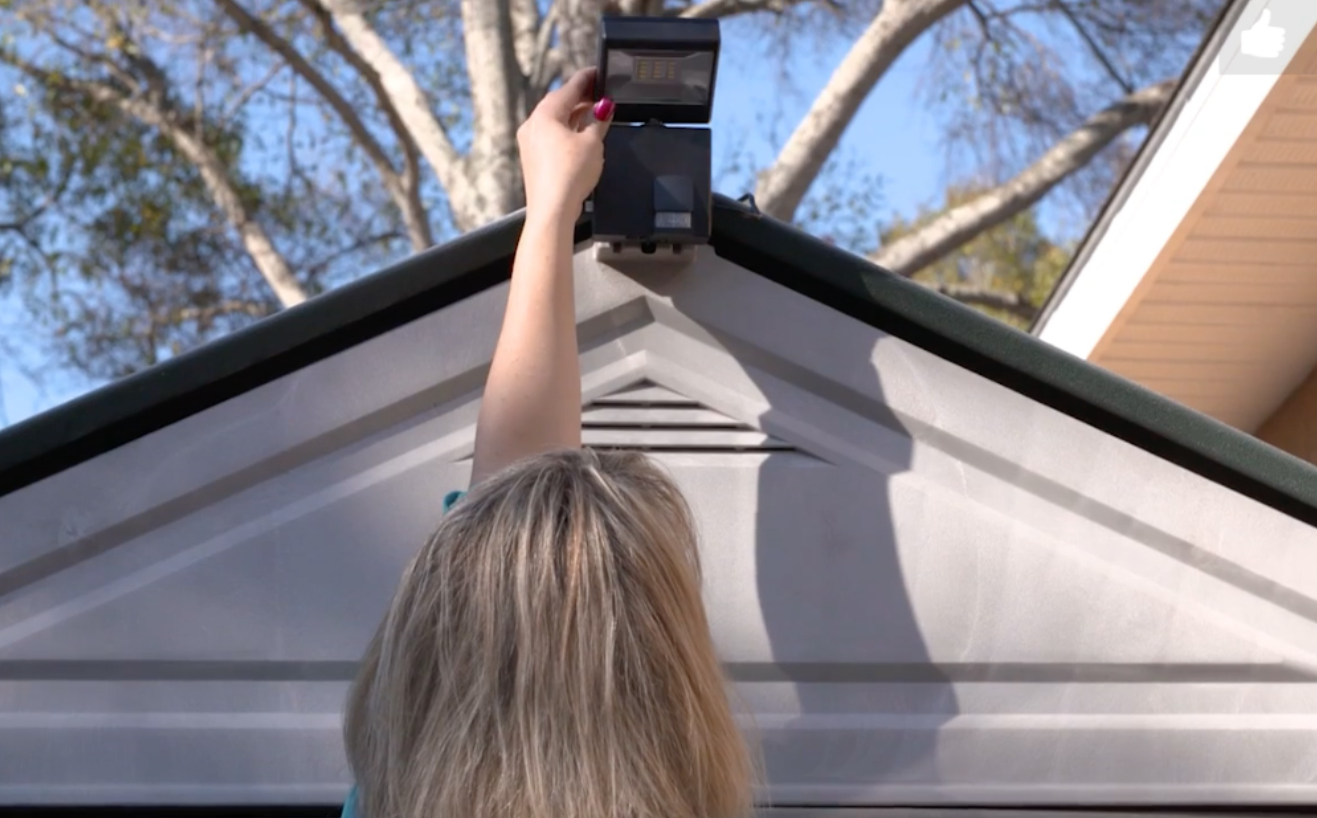
When installing LED motion sensor lights or cameras outdoors, keep in mind that mounting them under an overhang (such as a carport) may reduce their range.
Just as your field of view is reduced when you wear a hat with a brim or visor, an overhang motion detector can block a 180-degree sensing angle of light, turning it into a 90-degree sensing angle.
Do not block infrared.
Motion sensors are similar to flashlights that send out a beam of light but with infrared energy waves that detect motion instead of light waves. Just as light is closer to the bulb, infrared radiation is closer to the device and spreads farther.
Motion detector waves cannot penetrate walls or other rigid objects such as furniture. When you set up your motion sensor, think of it as a light on the wall. Anything that casts a shadow from the position of this light can also inhibit the motion sensor’s ability to cover the shadowed area.
Not all motion sensing light switches are created equal.
When choosing motion sensing light switches for indoor use, remember that not all motion detection switches work the same.
- The occupancy sensor automatically turns on when you enter a room and turns off again when you leave.
- A vacancy sensor turns off the lights when the room is empty, but you have to turn it on.
- Dimming sensors are customizable to turn on the lights at different brightness levels.
Brands like Lutron have motion sensor light switches that come in all three options so you can choose the right one for you.
Other uses of motion sensors
Motion sensors aren’t just for home security. Many industrial sectors use them on assembly lines to monitor product quantities and shut down dangerous equipment if someone gets too close.
Here are some other uses of motion sensors.
- To open and close automatic doors
- Turning on and off automatic water faucets and toilets
- Turning on the lights when someone enters the room
- To control the ATM display
- At the automatic ticket gate
- For some parking meters
The last word
Motion sensors aren’t just an extra feature of a security system—they’re essential. Without sensors, there would be no way to detect intruders.
Hopefully our guide has taught you the role of motion sensors in your home security, the different technologies used in motion detection, and how to properly install your sensors so they can do their job. For help researching your home security options, check out our article on the best home security systems.
What is a motion sensor alarm?
A motion sensor alarm is a device that uses optical, microwave, or acoustic sensors to detect movement around your home or workplace. Its common use, within physical security, is to detect intruders within a facility and trigger alarms.
The third component of a motion sensor alarm is the electronic control panel. This is usually an integrated panel that controls multiple sensors, and interprets the signals from the motion sensors, and translates them into usable signals.
Finally, it’s all managed from a mobile or desktop app. The best modern systems are cloud-based, or at least integrated with some sort of online platform, which is the layer you’ll interact with when viewing data from your motion sensor alarm.
A complete motion alarm system can also be connected to a motion sensor camera. The camera turns off when an alarm is activated to send a visual message to the responder. The responder can consequently take the most appropriate action for each specific intervention. Although the primary purpose of motion sensors is to alert the business owner or manager of unwanted “visitors,” such as thieves or burglars, they are also used for other situations where motion is the kick-off event, such as a door. Automatic opening, or automatic turning on of lights.
Motion detectors either provide security or make life easier. Common alternative applications of motion sensors are smart lighting, detecting poachers, and activating door locks and automatic gates in residential and commercial premises. You can use your smartphone to activate inexpensive motion detectors that range up to 15 feet. Modern and more expensive motion sensor models cover larger areas and can keep you safe on large properties and large commercial buildings.
How does a motion sensor alarm work?
Motion sensor alarms work in different ways depending on the type of sensor. If the sensor is a microwave motion sensor or an ultrasonic motion sensor, the functionality is often the same. It starts with the emission from the device, of microwave rays or ultrasonic waves that strike the surfaces of the room and then return to the receiver in the same device. By doing this, the machine can sense when the signal is interrupted and trigger an alarm. This happens when there is something that interferes with these rays/waves and this usually happens when there is an intruder. It works similarly to active infrared sensor alarms except that it emits infrared rays instead of microwave/ultrasonic waves.
A different scenario is one of a passive infrared sensor (or PIR sensor) that, instead of emitting radiation, only captures room-temperature radiation and detects when the device receives interference or anomalies. So it is activated. If the receiver notices suspicious movements, the alarm will sound.
Other options for motion sensors are tomographic motion sensors and gesture detectors. Ultrasonic motion detectors use both methods: active and passive. They use high-frequency sound waves that travel back to the transmitter and remain uninterrupted as long as there is no interference. This happens when the alarm is activated by sounding.
Gesture detectors use infrared light technology and photodetector elements to enable the digital screen to observe hand gestures by applying machine learning technology. They work with smartphones.
Why is it important to have a motion sensor alarm?
Motion sensor alarms are the principal guards of perimeter security, forming the outer layer of protection. Motion sensors can alert you to take action before things get out of hand. For example, you’ll be able to call the police before more property damage occurs or, worse, you, or the lives of your loved ones, are in serious danger.
Motion sensors are resource-efficient and easily installed. They can be placed in vulnerable areas of your office or home and help you sleep safely and soundly. Because they are smaller and not as detectable as video surveillance systems, intruders have less ability to detect and disable them.
When a motion sensor is programmed to activate a motion sensor camera, the camera keeps a video record of the event. At least one motion sensor can alarm by activating the lights to scare away intruders. While you’re waiting for the police, a combination of lights, sirens, and an irreversible door lock can keep fraudsters under lockdown.
What are the different types of motion sensors?
A traditional way of classifying motion sensors is to use the reception and emission detection mechanisms as criteria.
Passive motion sensor alarms are based on infrared technology and only observe motion through passive heat detection.
Active motion sensors are based on radar technology. They work by transmitting as well as receiving radio waves that boomerang when they hit a moving object.
Common motion sensor alarms use several technologies, but are not applicable to all areas. Some outdoors work better than others, and vice versa. Many access control systems use a few of these to provide better security.
A complete motion sensor alarm system has a few key components. The first is the motion detector, which is its most outwardly obvious part (which is why the entire motion sensor alarm system is sometimes referred to simply as a motion detector). This motion detector usually consists of a component that emits either infrared rays, microwave rays, or ultrasonic waves, and a receiver that captures these waves/rays.
Smart motion detector
Multi-talent: reliable motion detector for your alarm system and your lighting
Our motion detector monitors the interior of your home. Use it as part of an alarm system when you leave the house. It reliably and accurately detects movement, immediately sounds the alarm and alerts you immediately via the app if unwanted guests try to gain access to your living spaces. Is. Use your smart motion detector for automatic lighting control when you’re at home.
In case of alarm, everything is in sight and it is difficult to maneuver.
Thanks to its 90° front viewing angle and 12 meter range, the Bosch Smart Home Motion Detector also captures large rooms perfectly. There is also no risk of uninvited guests crawling under the sensor of your intelligent motion detector. This is because a stealthy guard prevents this trick. The demolition alarm also provides additional security: even if it is torn from the wall by a burglar, the motion detector still reacts with an alarm.
Smart sensors avoid false alarms.
The Bosch Smart Home Motion Detector differs from traditional motion detectors by combining various intelligent sensors. This enables it to more reliably distinguish between different types of movement. It recognizes people by their body temperature and size using infrared and temperature sensors. Additionally, the detector’s smart motion sensors intelligently filter out irrelevant movements caused by reflections or wind in trees and curtains, thus avoiding unnecessary false alarms.
Integrated pet immunity for your pet
Your pets can roam the house without any worries despite your smart motion sensor alarm. Simply activate the integrated pet immune function. This ensures that even the Bosch smart home motion detector detects the movements of pets. 25 kg and ignores them.
Intelligent activation of your lamps
As part of the Bosch Smart Home system, a motion detector automatically turns on the light when motion is detected. By the way, it doesn’t just work with your Philips Hue lamp: just connect all other lamps via the smart plug. The motion detector also takes daylight into account. By adjusting the light sensitivity, you decide when the lights will turn on. You can also dim the lights with your Philips Hue lamps. Easily manage your smart light control through the app.
Bosch Smart Home Motion Detector
- Monitors everything inside the house and knows exactly when and how to react.
- Intelligent and reliable motion detection
- More security for your home by integrating into alarm systems (Stealth Guard and Demolition Alarms)
- Automatic light control (via service “Moving Light”)
- Immunity for pets up to 25 kg
- Easy and quick installation
- Minimal maintenance due to battery life of up to 5 years
How do motion detectors work?
Motion detectors are important components of any home security system. Choosing the right motion detector, though, can be a complicated topic. That’s where we come in.
Once you’ve made your way through this guide, you’ll know your PIR sensors from your microwave sensors, why it’s not a good idea to place your detector near a heating vent, and more about security than your detector. How to use for With all of this information, you’ll be prepared to pick and install the best sensors in your home.
Our favorite motion detectors
How do motion sensors work?
As their name suggests, motion detectors are special types of sensors that alert you if they detect any movement in the areas they are set to monitor. There are actually several types of motion detectors, each working on a slightly different principle. The two most common are passive infrared (PIR) sensors and microwave sensors.
Passive infrared sensor
Infrared sensors work by collecting infrared light, the part of the electromagnetic spectrum that cannot be seen by the human eye. The detector itself consists of two separate sensors, each made of a special material that is sensitive to infrared light. These sensors are housed behind the lens in a hermetically sealed metal housing. The casing prevents noise, temperature and humidity from affecting the sensor.
One of the two sensors reads the ambient temperature of the location the detector is monitoring. In other words, it creates a picture of what a place looks like under normal conditions. Another sensor detects any sudden temperature changes in the space. Any difference between these two sensors “seeing” generates a pulse that signals “movement”.
One consequence of this process is that PIR detectors can only detect rapid motion, changes in temperature that are fast enough to cause a difference between the two sensors.
The lenses of many of these motion detectors are segmented. Segments allow you to focus on certain areas of the space and ignore others. As a result, you can configure detectors to ignore certain types of motion or motion in certain zones.
In other words, segmentation detectors will alert you if there’s a home invasion, but not if your cat wanders into your room.
Microwave sensor
Another common type of motion detector uses microwaves to read a location and detect movement. These detectors continuously send out microwaves, which hit objects and bounce back to the sensor. The sensor measures the reflectivity of these objects, which determines how far away they are. If an object moves, that motion changes the object’s rate of reflection, which is registered as motion.
Dual sensors
Finally, you can buy detectors that use both types of technology, PIR and microwave. The advantage of dual technology sensors is that they confirm each other. Both sensors have to detect this movement before the detector registers the movement. This verification method helps prevent false alarms.
Other Types of Motion Detectors
Here are some other types of motion detectors that are not as popular as PIR and microwave detectors:
- Ultrasonic Sensors: Ultrasonic sensors work on the same basic principle as microwave sensors. Instead of bouncing microwaves off objects, though, these sensors use ultrasonic sound waves.
- Vibration Sensors: These devices work by detecting small vibrations that people make when they walk in spaces.
- Tomographic Sensors: Tomographic sensors are a relatively new type of motion detector. Instead of a single sensor, tomographic motion detectors use several nodes in one location. These nodes communicate with each other. When something enters the field between them, it disturbs the connections, setting off the signaling. Tomographic sensors can be completely invisible because they do not rely on line of sight like other sensors. Another advantage is that, because they use radio waves, tomographic sensors can work through walls. Area Reflective Sensors: Like PIR sensors, these detectors rely on infrared light to function. However, while PIR detectors are passive, collecting infrared light, reflective area sensors are active, such as microwave or ultrasonic detectors. They send out pulses of infrared light and measure the speed at which this light reflects off objects.
Why do I need a motion detector?
Asking if you need a motion detector is like asking if you need a home security system. If you want to keep your home safe from intruders, the answer will always be yes. Even apartments need a security system!
You can use motion sensors in a number of ways, but their primary use is as a security device. Obviously, if someone is in your home that shouldn’t be, they alert you right away. Once they alert you, you can contact emergency services for help.
Better yet, if you have professional supervision involved.
Choosing a motion detector
There are various motion detectors on the market, and choosing one can be difficult. To help you make your decision, consider these factors:
Security System Compatibility: Many of the best home security systems offer packages that include motion detectors. If you buy all your safety components together, you won’t have to worry about compatibility. If you buy your motion detector separately, however, you’ll want to make sure it works with your other components, such as home security cameras, video doorbells, smart locks, motion sensor lights, and door sensors. Work seamlessly.
Sensitivity level: If you have a pet, you already have a pet protection system in place. You’ll also want a pet-friendly motion detector. Find detectors that can tell the difference between humans and animals. Most of these can be set to ignore creature movement below a certain weight.
Smart home integration: Whether you’re looking to turn your home into a smart home or you’re just using a smartphone, look for motion detectors that work well with your chosen platform. That way, you can turn the detector on and off with just your voice.
Sensor Type: Certain types of sensors may be better suited to specific conditions in your home. If, for example, you have small rooms with lots of heating ducts, you might want to avoid PIR detectors. You don’t want a false alarm every time the heat starts. Also, if you live near an airport, you may want to stay away from vibration sensors.
- App: You should be able to fully control your detector through a mobile app.
- Cost: The price range for a motion detector is about $30 to $50, depending on the features of the detector.
Installing your motion detector
Once you’ve chosen the right motion detectors for you, it’s time to install them.
Unbox your motion detector. Every device is different, and you need to know that before you install it. Begin the installation process by removing the device from its packaging, examining the parts, and reading the instructions.
Decide where to place your detector. Decide on the best places to install your detectors. As you do this, you may want to keep the following in mind:
- Motion detectors are most effective when they are placed on opposite sides of the entrance.
- If you only have a few detectors, start by placing them strategically in tight spots that connect large areas of your home.
- Place detectors where you think an intruder is most likely to enter.
- Consider which walls are most likely to be walked on by thieves.
- Corners are ideal detector locations because they allow a single detector to monitor a large area.
- Placing a detector higher on the wall also improves the coverage area. Also, placing motion detectors higher makes them more difficult for an intruder to tamper with or steal.
- Avoid placing the sensor over large pieces of furniture or overhangs, as these may inhibit the sensor’s ability to detect movement.
- If you are using PIR sensors, place them at least 10 to 15 feet away from heating vents, as vents can distort the sensor’s ability to pick up motion.
Mount your detector. Typically, you install motion detectors using adhesive or screws.
Follow these steps to install the detector with adhesives:
- Choose where to install the detector.
- Mark the spot with a pencil.
- Peel off the adhesive protection.
- Press the adhesive onto the wall.
- If the sensor is adjustable, make sure it is pointing toward the center of the area it will monitor.
To install a detector with screws:
- Choose a location to install the detector.
- Mark the wall or ceiling where you plan to install the detector.
- Detach the detector from its base.
- Use screws and a screwdriver to attach the base to the wall or ceiling.
- Reattach the detector to its base.
- If you can adjust the sensor, position it toward the midpoint of the monitoring area.
Connect your detector to your system. Follow the instructions for your device as well as the instructions that came with your home security system to ensure that your motion detectors work properly with the other components in your system. Make sure you can turn the detector off and on using your security hub and your mobile device.
Adjust the sensitivity of your detector. It is important to set the sensitivity of your motion detector correctly. Otherwise, you will get a lot of false alerts. To adjust the sensitivity:
Find your detector’s sensitivity dial.
- Move this dial halfway between minimum and maximum.
- Walk through the monitoring area to check if the sensor is picking up human movement.
- If the detector does not register your movement, move the setting to the maximum end of the dial and repeat the test.
- If the detector registers your movement, leave the dial there